Safety

Safety guidance for every ride

Safety is a shared responsibility between passengers, drivers and the platform. This page sets out what you can do before, during and after a trip to help keep it safe.

Emergency

If you are in immediate danger, contact local emergency services first.

Do not delay calling Nigeria's emergency services to contact AfrolandX Rides. During an active ride, the app can send an SOS alert to ride administration; once you are safe, report the incident so it can be reviewed.

Nigeria emergency services112

AfrolandX Rides support: support@afrolandx.com
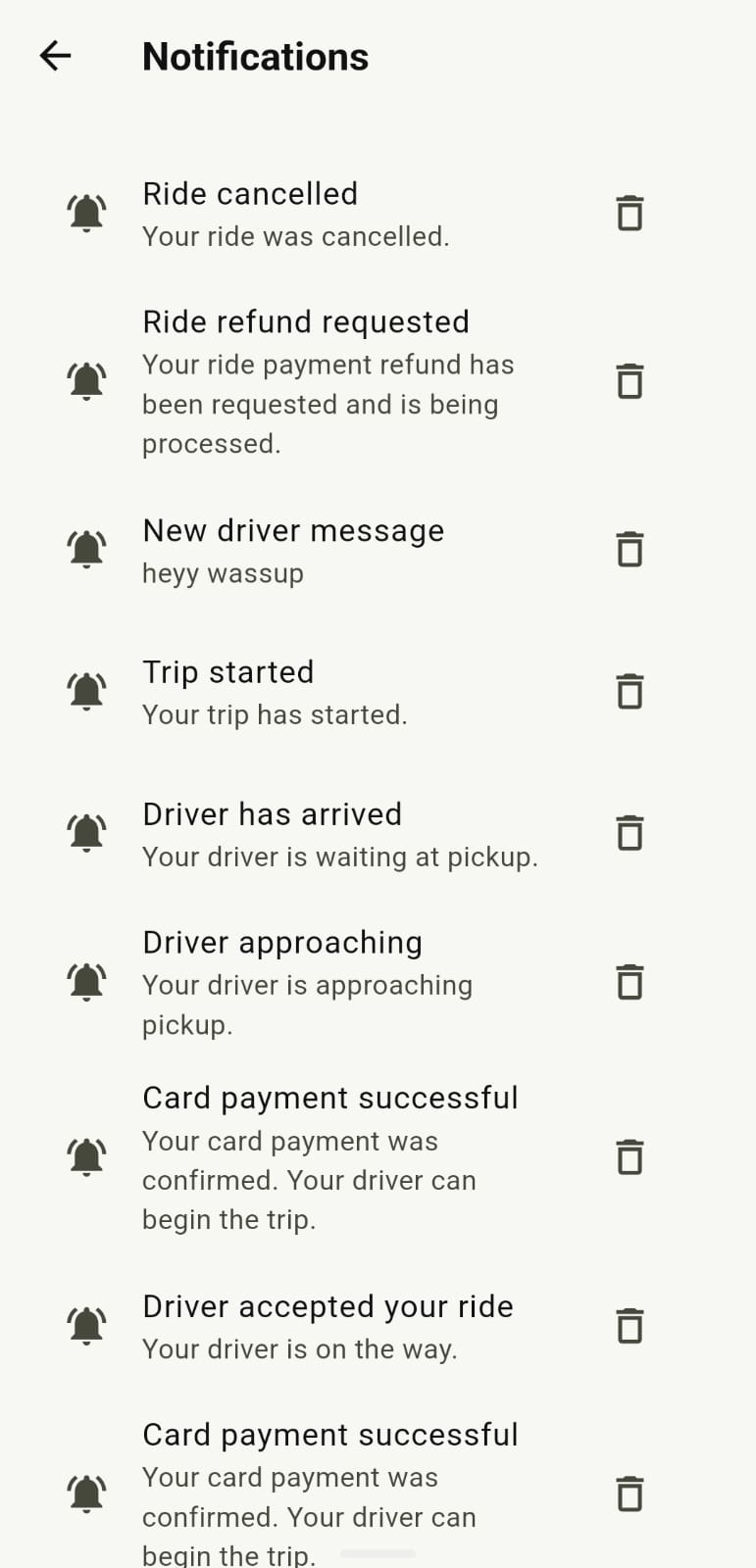
AfrolandX Rides notification center showing driver, payment and trip updates
Ride updates, payment confirmations and driver messages appear in the notification centre.

Stay informed

Important ride updates stay visible

The app can notify passengers about driver acceptance, driver approach, arrival, trip start, payment confirmation, cancellation and refund processing.

In-app safety tools

Practical checks and support for the journey

These tools are designed to help passengers and drivers confirm the right trip, stay connected and report concerns.

Pickup PIN verification

A ride can show a pickup PIN to the passenger, and the driver verifies it in the app before the trip begins.

Trusted contacts and trip sharing

Manage trusted contacts from your passenger account and share live trip status with someone you trust where the feature is available.

SOS and ride reports

During an active ride, use the in-app SOS and support tools. Afterward, report a safety or ride issue so it can be reviewed.

Verified driver onboarding

Driver applications include identity, licence, vehicle and supporting document review before a driver can go online.

Ride notifications

Keep ride acceptance, driver approach, arrival, trip start, payment and cancellation updates visible in the notification centre.

Support throughout the trip

Use ride chat and the support channel when you need help, while keeping immediate emergencies with emergency services first.

Before your ride

Check the details before you get in

A few seconds of checking goes a long way. Do these before you open the door.

  • Confirm the vehicle information. Match the number plate and vehicle description shown in the app to the car that has arrived.
  • Confirm the driver information. Check the driver's name and photo against what the app shows you.
  • Use the trip details. Check the driver name, photo, vehicle details and registration shown in the app before you enter.
  • Use the pickup PIN. Share the displayed PIN with your assigned driver when the app asks for verification; do not share it outside the ride.
  • Choose a safe pickup location. Wait somewhere well-lit, visible and away from moving traffic — ideally a recognised pickup point rather than the middle of a road.
  • If something does not match, do not get in. Cancel through the app and report the mismatch to support.

During your ride

Stay aware and use the tools you have

You do not need to be on edge for the whole trip — just aware.

  • Remain aware of your surroundings. Keep an eye on the route and where you are, especially at night or in unfamiliar areas.
  • Use the in-app support tools. During an active ride you can open ride chat and send an SOS alert to administration; after a completed ride you can submit a report.
  • Share your trip when needed. Use trip sharing and trusted contacts to keep someone you trust informed.
  • Keep your phone charged. A charged phone is your main way to reach help if something goes wrong.
  • Contact support when necessary. If something feels wrong, you can end the trip at a safe location and report it. Your safety comes before completing the trip.
  • Speak up if you need to. If you want the driver to slow down, take a different route, or stop somewhere safe, say so.

Lost items

If you leave something in a vehicle

Report it as soon as you notice, and include as much detail as you can.

  1. Check your trip history. Note the date, time and route of the trip in which you believe the item was left.
  2. Contact support quickly. Email support@afrolandx.com with your trip details and a clear description of the item.
  3. Wait to be contacted. Our team will attempt to reach the driver. Please do not contact the driver directly through personal channels.
  4. Be aware of limitations. AfrolandX Rides cannot guarantee that a lost item will be recovered. See the Lost Property policy.

Driver safety

Guidance for driver partners

Drivers face their own set of risks. The same principles apply: awareness, preparation, and using support when you need it.

  • Confirm the passenger before pickup. Match the passenger name in the app before they get in.
  • Keep your vehicle roadworthy. Regular checks on tyres, brakes, lights and fuel reduce risk on every trip.
  • Trust your instincts. If a situation feels unsafe, you are not obligated to continue. End the trip at a safe location and report it to driver support.
  • Avoid sharing personal contact details. Keep all communication inside the platform where possible.
  • Know Nigeria's emergency number. Call 112 first if there is immediate danger; the app's SOS alert is not a replacement for emergency services.
  • Report incidents. Contact driver support after any incident, even if it seems minor — patterns matter.

Please note: this page describes safety practices and principles. It does not claim that every safety feature is available in every area or version of the app. Where a specific feature is not yet available, we will say so rather than overstate what the platform does.