How It Works
From request to completed trip
A clear look at the passenger and driver flows. The website explains the service; ride requests, payments, trip updates and support actions happen in the AfrolandX Rides app.
For passengers
Requesting a ride
Set your route, review the estimated fare in the app, and follow the ride from request to completion.
Open the app
Sign in and let the app locate your pickup point.
Choose a destination
Search for an address or select a point on the map. The app calculates route distance and duration.
Review the fare and payment
See the estimated fare in NGN and use your selected cash or Paystack payment method.
Request and get matched
The request is sent to an eligible nearby driver. Driver and vehicle details appear after acceptance.
Follow the ride
Watch the status move from accepted to arriving, arrived and trip in progress. Chat with the driver when needed.
Complete and review
After the trip, view it in history, rate the driver, add a tip when you want to, and report a completed ride if there is a problem.
Plan ahead
Schedule now. Request at the right time.
Scheduled rides are kept separate from active ride requests, so planning tomorrow's trip does not stop you from requesting a ride today.
Pick a future time
Choose the pickup date and time in the passenger app.
Get a confirmation
See the trip in Scheduled and receive a ride-scheduled notification.
Receive a reminder
The app sends a reminder about five minutes before the scheduled time.
Let the app request it
At the scheduled time, the trip enters the normal driver matching and payment flow.
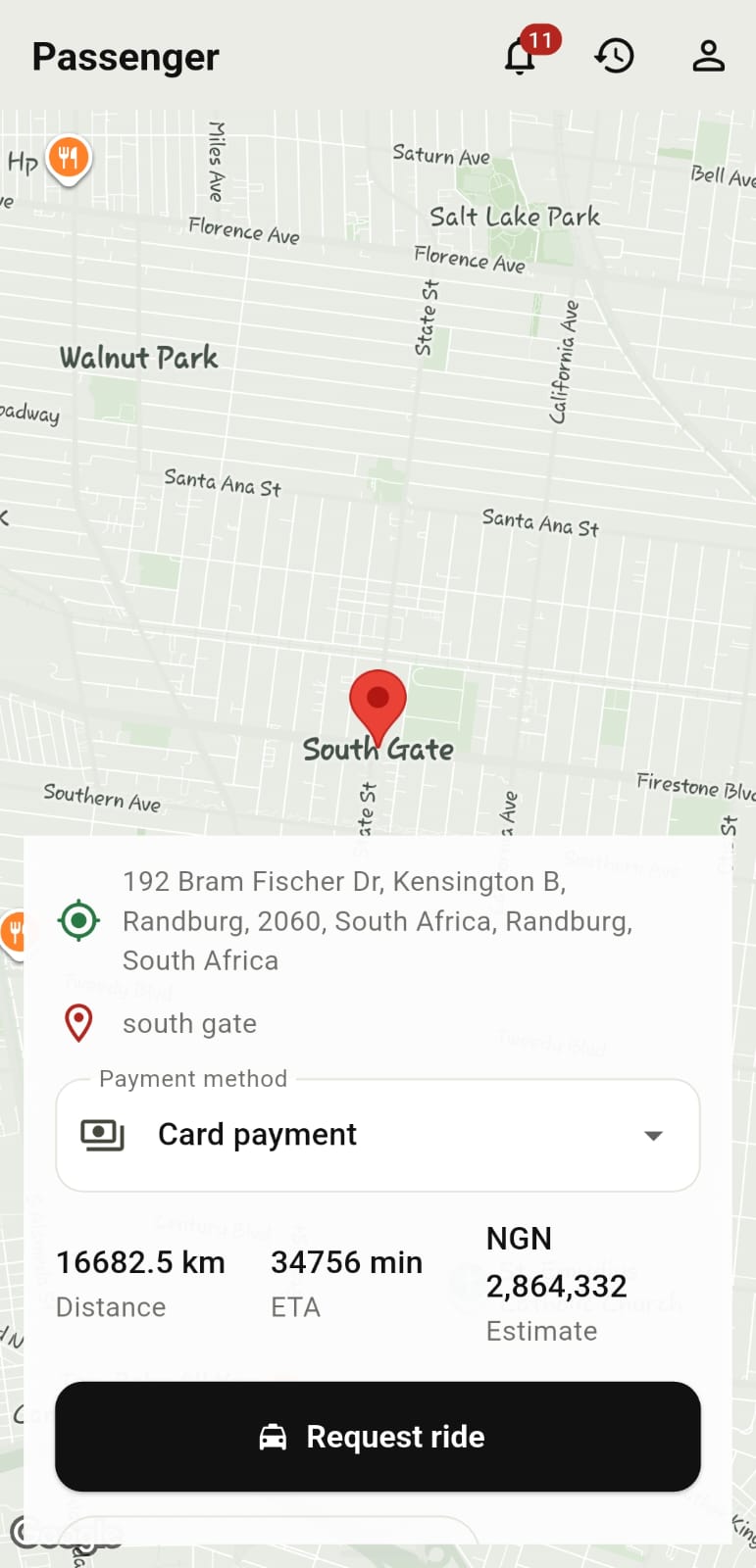
Passenger app preview
Review the trip before you request
The passenger screen brings the route, payment method, distance, ETA and estimated fare together before a ride is requested.
For drivers
Becoming a driver partner
Driver partners apply in the app, submit their personal, licence, vehicle and registration details, wait for review, then go online to receive dispatched requests with the trip details needed to accept safely.
Start the driver application
Provide your personal information, phone, address and date of birth.
Submit licence details
Enter your licence number and expiry date and upload the driver licence document.
Add vehicle information
Provide the make, model, year, colour, registration number and vehicle category.
Upload documents and submit
Upload vehicle registration and any additional documents, review the application and submit it for admin review.
Get approved and go online
Once the required documents are complete and approved, switch your driver status online when you are ready.
Accept and complete trips
Review dispatched pickup and destination details, accept a ride, verify the pickup PIN when required, update trip status, and view completed trips and earnings.
Please note: the app calculates driver earnings and records them in the driver account. Payout timing, final eligibility decisions and any operational requirements are subject to AfrolandX Rides onboarding and administration.
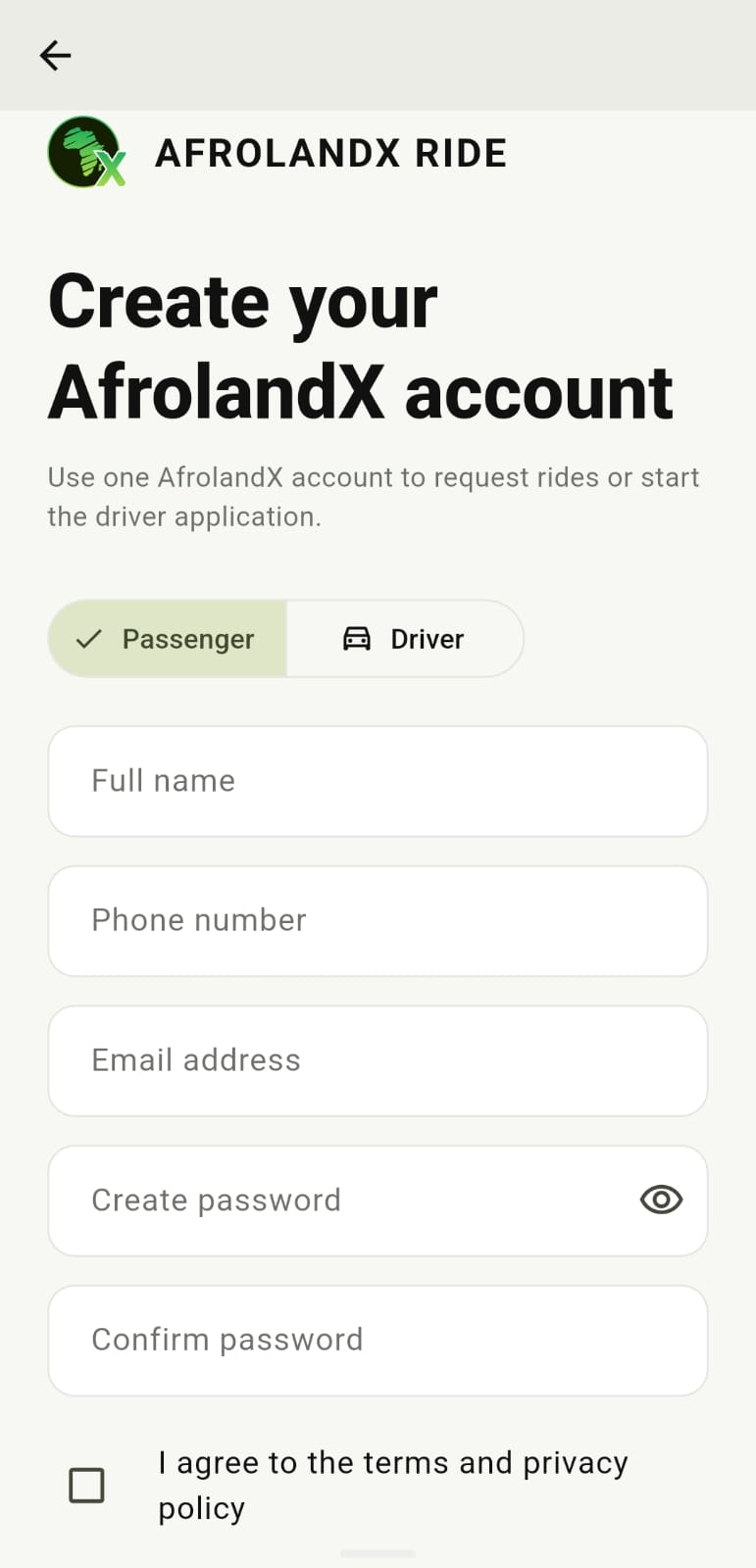
One account, two paths
Start as a passenger or apply to drive
The app lets visitors create an AfrolandX account, request rides as passengers, or begin the driver application and document review process.
Good to know
Things that apply to every trip
A few practical notes that make the experience better for everyone.
- Check before you get in. Confirm the vehicle and driver details in the app match what you see.
- Pickup points matter. Choose somewhere safe, well-lit and easy for the driver to reach.
- Cancellations happen. If you need to cancel, do it promptly through the app so the driver is not kept waiting.
- Lost something? Report it to support as soon as you notice — see the Lost Property policy.
- Something not right? Report it to support, during or after the trip. See the Contact page.