Help Center
How can we help?
Browse answers by category, or search directly. If you cannot find what you need, contact our support team.
In-app help
Support is connected to the ride
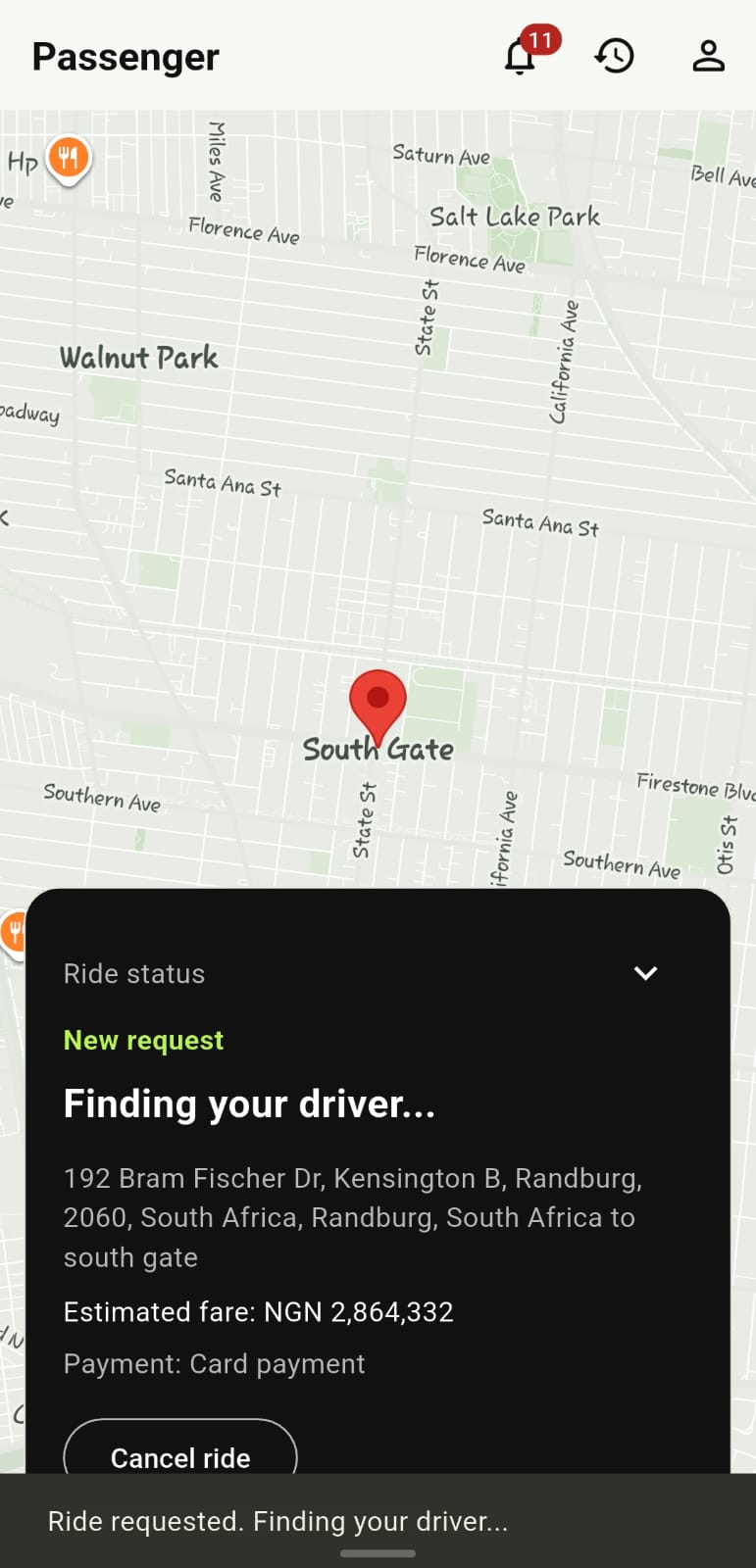
Passengers can open ride chat, cancel an active request, access SOS during eligible active rides, and submit a report after a completed trip.
The search filters the questions below as you type. It runs entirely in your browser.
Passenger help
Booking a ride
Open the AfrolandX Rides app, confirm your pickup location, enter your destination and confirm the request. You will see the trip details — including driver and vehicle information — before the ride begins. If the app cannot find a driver in your area, it will let you know.
Cancelling a ride
If your plans change, cancel through the app as soon as you can. The ride is marked cancelled and any verified Paystack payment may enter the refund process; timing depends on payment-provider processing. See the Cancellation policy.
Fare questions
The app calculates an estimated fare from route distance and duration and displays it before you request. Cash rides are recorded as cash due; Paystack rides use a verified Paystack checkout or saved card authorization. Contact support with the ride details if a payment or fare appears wrong.
Lost property
Report a lost item as soon as you notice. Include the trip date and time and a clear description of the item. Email support@afrolandx.com. We will attempt to connect you with the driver. Recovery cannot be guaranteed. See the Lost Property policy.
Driver issues
If a driver behaved inappropriately, took an unreasonable route, or made you feel unsafe, report it to support with your trip details. We take reports seriously and will review the account involved. For anything urgent, use the guidance on the Safety page.
Ride complaints
Complaints can be sent to support@afrolandx.com with your trip reference. Please include what happened, when, and any relevant details. Our complaints and dispute process is outlined in the Policies page.
Account issues
If you cannot sign in, if your account appears to be blocked, or if your details are incorrect, contact support. For verification and login problems, see the Account & App section below.
Driver help
Driver onboarding
To start driving with AfrolandX Rides, contact driver support through the contact page. You will be taken through the registration and verification steps. Specific vehicle and document requirements are confirmed during onboarding.
Vehicle requirements
The driver application currently collects personal information, address and date of birth, driver licence number, expiry date and licence document, plus vehicle make, model, year, colour, category, registration number and vehicle registration document. Administration reviews applications before a driver can go online.
Ride issues
If a trip did not go as expected — for example a passenger did not show up, or the route differed significantly — report it to driver support with the trip details so it can be reviewed.
Passenger issues
If a passenger behaves in a way that makes you feel unsafe, prioritise your safety first. End the trip at a safe location if necessary, then report the incident to driver support. See Safety for driver safety guidance.
Earnings questions
The driver account shows completed trips and calculated earnings. Payout timing and any applicable commercial terms are confirmed during driver onboarding and administration review. Contact driver support for the current account-specific information.
Safety concerns
Driver safety is covered on the Safety page. For urgent situations, contact local emergency services first, then report the incident to AfrolandX Rides support.
Account & app
Account problems
If your account is behaving unexpectedly — missing trips, incorrect details, or unexpected restrictions — contact support with your account details and a description of the issue.
Verification
Some features or driver onboarding require verification. If a verification step is stuck or was rejected, contact the relevant support team: driver support for driver verification, general support for passenger accounts.
Password / login issues
Use the "Forgot password?" flow on the login screen to request a reset email. If you cannot access the account email, contact support with enough information for the team to review the request.
Notifications
The app can send ride, trip, earnings and document notifications. Check device notification permission and the app's notification settings; drivers also need notifications enabled to receive dispatched ride requests.
No help topics match your search. Try a different term, or contact support.
Still need help? For an emergency in Nigeria call 112 first. For app, ride, payment or account help, email support@afrolandx.com or visit the Contact & Support page.